| Getting Started as a Project Manager | ||
| Instructor: Bonnie Biafore |  | |
| Released: 4/30/2025 | Course Details 4h1m Beginner | |
| Skills Covered Project Management | Course Link | |
| Professional Certifications and Continuing Education Units (CEUs) National Association of State Boards of Accountancy (NASBA) – 9.4 Project Management Institute (PMI) – PDUs – 3.25 | ||
Get to Know Project Management
What is a project?
Project
A temporary endeavor that has a specific and unique goal, and usually a budget.
A project has a definite beginning and end. If the project has no end, then you most likely have not defined the project correctly. A project produces a unique result (product, service, or other outcome).
A project is NOT the same as operations which is day-to-day activity.
What is project management?
- What problem are you solving?
- How are you going to solve this?
- What’s your plan?
- How will you know when you are done?
- How well did the project go?
Solution
- Requirements
- Deliverables
- Scope
Plan
- Work
- Resources
- Schedule
- Process
Success Criteria
Quantifiable, measurable results that show that the project is complete.
What it takes to be a project manager
Project Management Skills
- Technical
- Business expertise
- Problem-solving
- Interpersonal
- Leadership
The waterfall project management lifecycle
Traditional project management lifecycle
- Initiate
- Plan
- Execution
- Manage and Control
- Close
Initiating:
- Define your project
- Assess scope
- Determine resources needed
- Identify stakeholders
- Ask for approval
Planning:
- What are we going to do?
- How are we going to do it?
- How will we know when it’s done?
Execution:
- Launch the project
Monitoring and Controlling:
- Check progress of project
- Compare to what was planned
- Occurs throughout most of the project lifecycle
Closing Process:
- Get client to accept project is complete.
- Document project performance
- Gather lessons learned
- Close contracts
- Help resources move to next assignment
Traditional Approach (Waterfall)
Works well when goals are clearly defined.
- Simplicity
- Low risk
- Familiar technology
- Experience results
The agile project management lifecycle
Agile Approach
- Sprints deliver product features at regular intervals
- Value delivered sooner
- More customer involvement
- Small independent teams
Envision:
- Similar to Waterfall Initiation phase
- Define the product vision
Speculate:
- Similar to Waterfall Planning phase
- Create, revise, and prioritize your feature list.
- Estimate effort and identify risks
Explore:
- Similar to Waterfall Execution phase
- Build and deliver the features for the sprint
Adapt:
- Similar to Waterfall Monitor/Control phase
- Review results and change as needed
- Often called a Retrospective – based on feedback you may change your feature/process
Close:
- When the final Sprint is completed, record lessons learned.
The hybrid project management lifecycle
Hybrid projects use a combination of waterfall and agile elements.
How organizational structure affects projects
Hierarchy
- PM has almost no authority
- Functional manager in charge of budget
- Resources do not report to PM
- PM has divided responsibilities
Matrix
- Weak/Balanced/Strong – depending on focus on projects
- PM has some authority
- Resources report to two managers
- PM and staff work full time in a strong matrix
Projectized
- PM has almost complete authority
- Resources are dedicated to project
- PM and admin staff work full time
How organizational culture affects projects
Organizational Culture
Set of factors that guide people’s behaviors and decisions within an organization.
Shaping Culture
- Mission statement
- Leadership
- Work environment
Navigating Culture
- Know the boundaries
- Respect change management
- Respect local culture
Project management software options
Project Management Software
- Scheduling software
- Build and manage your project schedule
- Microsoft Project (primarily for Waterfall)
- Oracle Primavera (primarily for Waterfall)
- LiquidPlanner
- Jira (primarily for Agile)
- Smartsheet
- Wrike
- Asana
- Word Processing
- Microsoft Word
- Google Docs
- Spreadsheet
- Microsoft Excel
- Google Sheets
- Presentation
- Microsoft Powerpoint
- Keynote
- Collaboration
- Basecamp
- Asana
- Microsoft Sharepoint
- Enterprise Level Software
- Complex projects
- Resource assignments
- Tracking
- Document libraries
Considerations:
- Culture
- Software budget
- Project Management methodologies
- Number of projects
- Compelxity
First Things First
Initiate a project
- Assign a PM – sometimes the assignment is only made once the project is approved.
- Prepare a project charter.
Organizing and storing data in project information system
- Check documents to ensure they are labeled and categorized correctly
- Manage version control
Identifying project stakeholders
Stakeholders
- Project Customer – person or group with a problem to solve
- Funds the project
- Informs what needs to be done
- Approves deliverables
- Project sponsor – wants project to succeed (has enough authority)
- Prioritize objectives
- Talk to stakeholders
- Suggest improvements
- Functional Managers
- Achieve departmental goals
- Manage team members
- Team members
- Perform tasks
- Execute assignments
- Departments – invested and affected by project outcomes
Analyze project stakeholders
Stakeholder Analysis Document – identifies stakeholders and how they are connected
- Department
- Position
- Advisers
- Objectives, Requirements, Interests
- Influence (High to Low)
- Project contribution
- Resistance
Identify the project goal
Project Goal
- Defines the end result
- Solves the problem
- Takes advantage of opportunity
Problem Statement
Clearly defines the problem or opportunity. (Don’t focus on the solution)
Define project objectives
- Business Objectives – Support your organization’s goals
- Financial Objectives – are all about money
- Quality Objectives – specify how good results need to be
- Technical Objectives – similar to technical requirements
- Performance Objective – finish by a certain date or allocation of funds
Document Objectives
- Use a SMART approach
- Inform what needs to be achieved – be specific
- Measurable objectives can track what is being achieved
- Achievable or Realistic objections – tell what can be done with resources available
- Time Related objectives – identifies when objections need to be achieved
- Benefit Analysis
- Validate the project aligns with the organization’s mission and strategy.
Project Strategy
- Based on project goal and objectives
- Performed by senior project manager and small team of experts
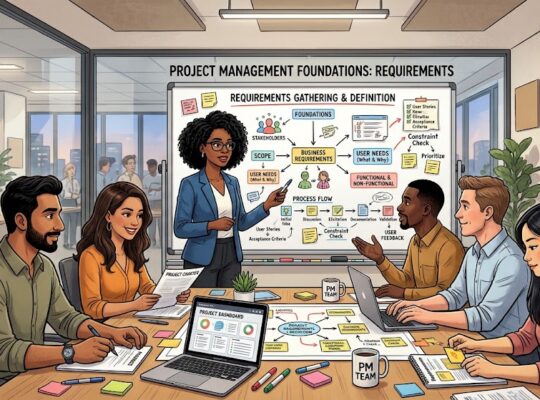
Gather requirements
- Identify a project’s true requirements
- Eliminate anything unneeded
Requirement Challenges
- Incorrect requirements
- Inconsistent requirements
- Missing requirements
- Unnecessary requireements
- Customers don’t commit time
Gathering Requirement Methods
- Interviews
- Brainstorming
- Focus groups
- Observation
- Surveys
- Analyze existing documents
Analyze the Requirements
- Missing information
- Inconsistent requirements
- Clarify with stakeholders
Documenting Requirements
- Use clear and easy to understand language
Identify project deliverables and success criteria
Deliverables are measured by success criteria.
Deliverables
- Define scope
- Measure progress
Start by identifying the end deliverable, then identify intermediate deliverables.
Measuring Success
Success Criteria – definitions of what success looks like.
Identify project assumptions and risks
Assumptions
- Use to fill missing information
- Revisit and modify as necessary
- Make sure everyone is on the same page.
- Ask about expectations.
- Ask about questions repeatedly.
Risk
A situation or event that might occur an impact your project positively or negatively.
Document assumptions and risks.
Prepare a project scope statement
Project Scope in Writing
- Helps avoid scope creep
- Additional unexpected deliverables
- Reminds stakeholders what was agreed upon
- Helps track for change management
Project scope should include: goals and objectives, within scope, out of scope, deliverables, success criteria, assumptions, risks and constraints.
A project charter checklist
- Executive summary – overview of goals, approach and key personnel required to deliver business value.
- Scope definition – In scope and out of scope
- Project manager and sponsor responsibilities
- Spending limits
- Constraints on changes that can be approved by the PM.
- Meetings that the sponsor will attend
- Project methodology
- Waterfall, agile, or hybrid
- High-level communication plan
- Assumptions
- Constraints
- Resource required
- High-level risks
- Project success criteria
Create a project charter
Completing Project Initiation
- Get approval to proceed
- Prepare project charter
Three Possible Outcomes
- Project is approved to proceed to planning.
- Project is denied.
- Project is sent back for rework.
Project Charter
- Authorizes and publicizes the project.
- Project name
- Purpose
- High-level project description
- High-level milestone schedule
- Cost estimate
- Stakeholders
- PM’s name
- PM responsibilities
- PM’s authority
- Formal declaration of sponsor’s support
Develop a Project Plan
Project planning overview
- Who?
- Estimate time?
- Estimate cost?
Project Plan
- Used over the course of the project.
- Directs people’s tasks
- Tracks project’s progression
- Aids in course corrections
- Communicates with stakeholders
What is a work breakdown structure?
Work Breakdown Structure (WBS)
Easier to estimate time and cost. Easier to assign work. The quantity of levels depends on project complexity.
Summary Tasks
- High-level tasks in WBS.
- Could represent phases or deliverables.
Work Packages
- Lowest level tasks
Build a work breakdown structure
Building a WBS
- Build the top level Summary tasks
- Then build the next level tasks
- Use the scope statement and deliverables to create Summary tasks.
- Intermediate deliverables can be used for lower-level Summary tasks or work packages.
Work Packages
- Break down work in 8 to 80 hour tasks.
- Match to frequency of status reports.
Determining Breakdowns
- Time and cost are easy to estimate.
- Status is easy to measure
- Details are manageable.
How to create work packages
Level of Detail
- Familiarity of work
- Experience of the team member
Estimate time and cost
Estimates don’t need to be perfect at the onset of the project, as you learn more about the project during planning your estimate will become more accurate. Use previous projects to guide estimates and cost.
Parametric Model
You calculate work and cost based on a measured unit.
Delphi Technique
As several experts to provide estimates, independent of one another. Use the average of the last round as your estimate.
Top-Down
Estimate phases or major components and break them into smaller pieces until you achieve individual tasks.
Bottom-Up
Estimate each tasks and add them up until you have the estimate for the entire project.
How to choose the best estimate
- Don’t use the average – because it means that your results have a 50/50 chance of being equal or less than your estimate.
- The worst case estimate provides the highest chance of success however that number might be so high that the project will be cancelled or not approved.
- Don’t use the best-case estimate – customers ignore any language around concerns and only hear the date they want to hear which means your project will fail.
With the elimination of the best, worst and most likely values – we are left with the best estimate option which is about halfway between the average and worst case value.
86% probability of the results being less than or equal to that number. That’s a good chance of success.
Adjust Your Estimate
- A higher value increases the chance of success.
- A lower value decreases the chance of success.
Choose the estimate with an acceptable probability of success.
Create a resource management plan
Resource Management Plan
- Roles
- Responsibilities
- Reporting structure
- Skills
- Staffing
Responsibility Matrix (RICA)
- Responsible – Responsible for doing
- Inform – needs to be informed
- Consult – before a decision
- Accountable – for decisions and delegations
Skills Matrix – Use the Work Packages to create the tasks and identify people and skills required
Staffing Plan
- Identify sources for resources
- When are they needed
- Training requirements
- Resource processes
Build a project schedule
- Put tasks in sequential order and identify which tasks needs to be completed first.
- Estimate the time each task will take.
- Assign tasks to project team members.
- Calculate task duration.
- Account for deadlines and other constraints.
Develop a project budget
Project Budget
- Labor
- Vendors
- Contractors
- Employees
- Burdened Cost
- Salary/Benefits
- Burdened Cost
- Time-Based Resources
- Rental equipment
- Leaded office space
- Materials
- Equipment being installed
- Construction materials
- Consumable goods
- Ancillary
- Travel
- Training
- Fees
Assign resources and other costs to the tasks in your project schedule.
Money Allocated
- If estimate is high:
- Eliminate nonessential expenses
- Use less expensive resources
- Cut scope
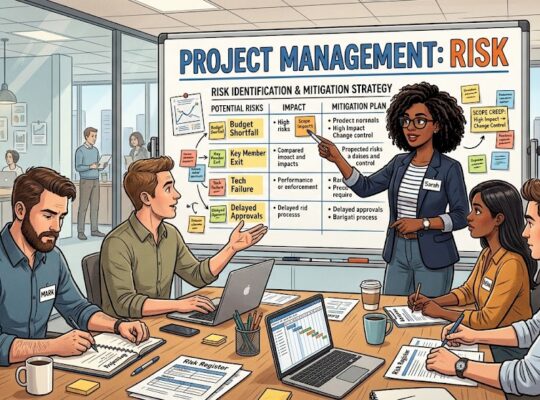
Identify risks
Known Unknowns
- Weather delays
- Unavailable resources
- Technology
- Cost more
- Not work when expected
- Time zone differences
- Different language/cultures
- Lack of details on deliverables
- Limited options
Unknown Unknowns
- Risk you can’t predict
- Unforeseeable events
- Contingency funds
Project Budget/Schedule
- 10% to 15%
Create a risk management plan
Evaluate Risk
- How likely?
- How serious?
Rate risks by probability and impact using a 1 to 5 range (1 low, 3 medium, 5 high) then multiply the probability by the impact to receive a maximum risk of 25.
Plan how you will handle each risk above a certain score.
- Accept the Consequences – low probability and impact.
- Avoid Risk – Changing project scope.
- Mitigate Risk – reducing impact by taking steps.
- Transfer Risk – handing risk to someone else.
Your response to the risk should reflect the impact of the risk. Review and update the risk management plan regularly.
Tips for documenting risks and mitigations
- Describe risks using the PIE model (Probability of an impact due to an event)
- Include tasks in the WBS for checking risk status – such as “verify the status of product delivery”.
- Assign an owner to each risk and provide clear direction for when to perform that response.
Set up a communication plan
- Identify your audiences.
- Who
- Management
- What
- Objective
- How
- Project Plan
- Status Reports
- Who
The above is one example but this applies to Sponsors, Functional Managers, Team, and others.
Communication Distribution
- Frequency
- Format
Develop a quality plan
Quality Management Plan
- Meeting customer’s requirements on time and within budget.
- Conforming deliverables to specifications.
- Three components
- Standards – acceptable tolerance or acceptable defect rate
- Control
- Assurance
Quality Assurance Plan
Processes needed to meet quality standards.
Quality Control
Measure and monitor quality of final deliverables.
- Acceptance Test
- Inspection
- Peer review
- Walk-through
- Audit
How to set up a change management plan
- Identify what you want to control.
- Project scope
- Requirements
- Schedule
- Project plan
- Define a change management process.
- Company culture
- Project size
Change Management Process
- Receive change request.
- Evaluate change request.
- Change review board reviews evaluated change requests.
- Track change request.
Additional Considerations
- Setting thresholds
- Emergency changes
How to plan procurement
- Identify purchase needs
- Skills
- Additional resources
- Products
- Materials
- Document procurement processes
- Identify vendors
- Select vendors
- Manage contracts
- Describe the make-or-buy decision process
- Understand needs
- Determine if products are available
- Determine suitability
- List potential vendors
- Describe research
- Criteria for developing the list
Procurement Plan
- Find out what to do first
- Give yourself a confidence boost
- Build a growth mindset for happiness
- Create balance and overcome burnout
How to obtain approval to proceed
Face-to-Face meeting is more effective.
Plan Approval
- Present plan.
- Ask for signatures.
Build a Project Schedule
Put tasks in sequence
By putting tasks in order you place your WBS in sequence of when work should occur.
Task Dependencies
One task controls the timing of another.
- Finish-to-Start Dependencies: the finish of one task controls when the other task start.
- Finish-to-Finish Dependencies: the finish of one task finishes the task of the next.
- Start-to-Start Dependencies: the start of one activity begins the start of the other.
- Start-to-Finish Dependencies: the start of one task triggers the finish of another.
How to assign resources to tasks
Assign resources to work packages. Do not assign resources to summary tasks or milestones.
Two methods to calculate what is needed
- Work = Duration + Resource assignment units
- Duration = Work/Resource Assignments units
Resource Availability
- Resource availability also effects when work occurs.
- Other Resources (materials, equipment and others)
Learn to use milestones
Milestones are great as the first and last task on your schedule. The final milestone identifies if you are late, ahead or behind schedule. Milestones can be used for decisions or to mark key deliveries.
Make a realistic schedule
- Build in a buffer.
- People don’t work 100% on project tasks. Things like staff meetings, training, and time off uses work time.
- Account for how fast assigned workers are.
- Limit tasks to three.
- Switching between tasks means people need to re-focus, adding delays.
- Note adjustments and reason.
Understand the critical path
The longest sequence of tasks in your schedule. Any delay on that path impacts the end date of your project.
Critical Tasks – Don’t have slack.
Early Start and Early Finish is the earliest date the task can start or finish without any impact on dependencies.
Late Start and Late Finish is the latest the date the task can be completed.
How to shorten a schedule
- Fast-tracking – add an overlap to two tasks with Finish-to-Start dependencies. Fast-track tasks on the critical path. Fast tracking increases risk.
- Crashing – spend additional money to shorten the schedule. Crash tasks on the critical path. Shorten the schedule for the least amount of money. Start with the least expensive tasks. At some point, adding more people doesn’t always shorten duration.
- People get in each other’s way.
- New workers are often less productive.
- New workers may slow down current workers.
- Cutting Scope – reduce work to reduce the schedule.
Document the baseline
Baseline is everything your want to control with the Change Management Process. Any changes to the baseline are “change requests” and have to go through the Change Management Process.
Baseline the values in the project schedule. Use baseline to evaluate progress and project performance.
An Overview of Agile Project Management
What is agile project management?
Managing and implementing work in agile projects.
Work is completed in time periods called iterations or sprints lasting between 2 to 12 weeks. The goal of each iteration is to provide a complete work in order to receive feedback from users.
Agile Philosophy
- Importance placed on people and interaction.
- Produce a product, not documentation.
- Customer collaborates throughout the project.
- Changes are expected and welcomed.
Waterfall vs. Agile
The waterfall approach defines the scope of the project and then estimate time, cost and quality. Agile looks at time, cost and quality as fixed elements. Then you figure out which features you can produce given those constraints.
Envision -> Speculate -> Explore -> Adapt -> Close.
Change control is done by prioritizing the backlog of features. Risk is managed with frequent releases.
Agile Projects
Deliverables delivered in short periods. Added to in future.
The Agile project management lifecycle
- Sprint planning
- Daily scrum
- Sprint review
- Sprint retrospective
5-Stages:
- Envision – start of your project
- Project goal
- Objectives
- Team
- Guidelines
- Speculate
- Planning in iteration (not the entire project)
- Requirements
- Features
- Estimates
- Risks
- Explore
- Build features
- Peer reviews
- Testing
- Adapt
- Act on feedback
- Capture lessons learned
- Close
- Produce a final set of lessons learned
Plan an iteration
- Feature – small function or deliverable
- Action followed by Result
- Find next available appointment time
- First Iteration
- Takes longer than the following ones
- Identify and estimate all project features (backlog)
- Iteration, Milestones and Release Plan
- Outlines features
- Schedules in iterations
- Implemented in organization.
- Start an Iteration
- Reevaluate features to include.
- Incomplete features.
- New features.
- Next features.
Manage the explore stage
Work on the features assigned to the current iteration.
Daily Stand-Up Meetings
- 15 to 30 minutes long
- What was completed the day before
- What is planned for today
- Help needed
Issues
- Don’t resolve them in the daily meeting.
- Note in register
- Resolve after the meeting
PM’s Contribution
- Remove obstacles
- Track progress
- Resolve issues
- Keep stakeholders current
Stop working on features when iteration ends. Log incomplete features. Work on backlog features if time allows.
Handle the adapt and close stages
- Time for review and retrospection.
- Compare what was delivered vs. to what was planned.
- Customer Review
- Are features working correctly?
- Do they produce the intended business benefits?
- Lessons Learned
- Resolve issues
- Eliminate obstacles
- Note what worked
- Feedback
- Add or remove features from backlog
- Modify estimates
- Update risk register
- Prioritize the backlog
- Modify the team
- Modify processes
- Speculate
- End of the Adapt stage is the beginning of the Speculate for the next iteration
Close Phase
- Reconcile the project financials
- Reassign team members
- Update stakeholders
Integrating agile and waterfall in hybrid projects
- It’s usually easier to use a waterfall approach as the primary pathway through the project.
- Make sure to allocate time for people working on agile sub-projects to work on the main waterfall project integration and testing tasks.
- Review impacts on the main waterfall schedule before finalizing the reprioritization of the agile backlog.
While Your Run the Project
Kicking off and managing project work
- Launch the project
- Acquire a project team
- Develop and manage team
- Explain project guidelines
Kickoff Meeting
- Describe the mission
- Revie the project plan
- Explain project processes and procedures
Monitoring
Collect data and where the project stands.
Controlling
Correct course to keep project on track.
Techniques for communicating effectively
- Tell your audience why they should pay attention.
- Make your point before they lose interest.
- Keep message relevant.
- Be positive and proactive.
Communication Tips
- Listen
- Watch for unspoken communication
- Keep an open mind
- Paraphrase
- Email effectively
Run effective meetings
Productive Meeting
- Identify the purpose
- Create an agenda
- Keep meeting on topics
- Time estimate for each topic
- Limit attendees
- Allow time for preparation
- Start and finish on time
- Facilitate the meeting
- Take notes
A checklist for effective meetings
Basic checklist is provided on to run effective meetings.
Work with Teams
Manage team resources
- Communicate roles and responsibilities clearly.
- Give specific and achievable goals.
- Provide support and remove obstacles.
- Respect others.
- Provide feedback quickly.
- Tell the truth.
- Communicate regularly.
- Handle problems quickly.
Understand team dynamics
- Forming – starting to form as a team
- Define the team goals and provide direction.
- Storming – things usually get worse before they get better
- Power struggles often occur.
- Disagreements lead to communication which leads to the team growing
- Keep the team focused on their goals.
- Norming – team understands common goals.
- Performing – they know what they need to accomplish.
How to manage virtual teams
Virtual Challenges
- Hard to understand
- Easy to misinterpret meaning
- Harder to read body language or facial expressions
Long-Distance Relationships
- Communicate clearly
- Confirm understanding
- Help overcome obstacles
- Show appreciation
Handle conflict on video or over the phone rather than using email.
Monitoring and Controlling Processes and Performance
How to gather data
Data to Collect
- Task start date
- Actual duration
- Remaining duration
- Other actual costs like travel, training and fees
How to manage project change
- Submit the change request
- Evaluate
- Add to log
- Submit to review board
Once approved, assign an owner. Update the baseline documents.
Handling change requests with significant impact
- The customer must approve the change request.
- If the change impacts other projects, the executive board should approve.
Learn how to manage project scope
Scope Creep
Undocumented changes to scope without corresponding changes to schedule or budget.
Scope Creep Reasons
- Informal requests
- Scope not clearly defined
- Customer doesn’t know what they want
Preventing Scope Creep
- Reset unrealistic expectations
- Enforce the change management process
- Renegotiate the scope statement
Monitor and control risks
Risk Owner Responsibilities
- Implement proactive risk responses
- Watch for high-priority risks unfolding
- Monitor events that trigger contingency plans
- Launch risk response
- Report on risk status
Monitor lower priority tasks occasionally. Watch for new risks as well.
How and when to use earned value analysis
Earned Value Analysis
The financial value a project has earned based on work completed.
Planned Value
The estimated cost to complete work scheduled through status date.
Earned Value
The value earned by work completed.
Actual Value
Actual cost of the work completed
Evaluate progress
Problem Tasks
- Incomplete tasks running late
- Should have started but haven’t
- Haven’t completed as much work as planned
Cost to Budget
- Over budget?
- Scope creep?
- Tasks taking longer?
- Faster incurred cost?
How to get a project back on track
- Consider solutions you can authorize
- Ask stakeholders for approval
- Ask management team for approval
Close the Project
Close a project
Closing
- Obtain acceptance in writing
- Document lessons learned
- Produce a closeout report
- Close contracts
- Archive project information
- Transition team
How to obtain customer acceptance
Acceptance Test
- Deliverables
- Success Criteria
Get signatures from customer and stakeholders.
Document lessons learned
- Schedule time to discuss lessons learned – don’t wait until the end of the project.
- Keeps sessions positive and productive.
- What saves the most time?
- What was a difficult challenge you solved?
- What would you do differently?
- Talk about yourself, not others.
- Foster openness and honesty
- Try meetings without managers.
- Allow anonymity.
- Document lessons learned
- Make lessons learned available.
How to prepare a close-out report
Project Summary
- Did it deliver what it was supposed to?
- Was it on time?
- Was it within budget?
Final Schedule and Cost
- Delivery dates
- Variances
- Reasons
- Total cost
- Cost for major sections
- Cost variances
Share Information
- Significant changes
- Significant risks that occured
- Lessons learned
Learn how to close and transition projects
Close Contracts
- Provide support
- Follow up
- Confirm and close vendor contracts
Transition Team Members to Next Assignment.
Archive project documents.
Close Accounts
- Financial accounts may need to be open for several months after close of projects
Changes to PMBOK Guide – Seventh Edition
Create organizational value through a value delivery system
Delivery of organizational value via a value delivery system.
Principle-based project management
- Be a diligent, respectful, and caring steward.
- Create a collaborative project team environment.
- Effectively engage with stakeholders.
- Focus on value.
- Recognize, evaluate, and respond to system interactions.
- Demonstrate leadership behaviors.
- Tailor based on context.
- Build quality into processes and deliverables.
- Navigate complexity.
- Optimize risk responses.
- Embrace adaptability and resiliency.
- Enable change to achieve the envisioned future state.
Focus on project outcomes through performance domains
Stakeholder Performance Domain
- Identify
- Analyze
- Engage
Team Performance Domain
- Establish culture and environment.
- Encourage leadership.
Development Approach and Lifecycle Performance Domain
- Establish development approach and cadence.
- Establish lifecycle to support approach and cadence.
Planning Performance Domain
- Amount of planning
- When to plan
- Frequency of planning
Project Work Performance Domain
- Keep team focused
- Establish efficient processes
- Manage workflow
- Manage procurement
Delivery Performance Domain
- Satisfy requirements
- Match Scope
- Meet Quality expectations
Measurement Performance Domain
- Assess performance
- Implement course corrections
Uncertainty Performance Domain
- Identify risk
- Assess likelihood and mpact
- Decide how to handle
Tailor your approach to meet project and organizational needs
What Affects Tailoring Choices?
- Project size
- Duration
- Complexity
- Industry
- Organizational culture
Models, Methods and Artifacts
Models
A simplified presentation of something in the real world.
Methods
A way to achieve an outcome or result.
Artifacts
A document, template, or project deliverable.
 | Remember! To experience the full benefit of this guide, I highly recommend you watch the full training session. |